Start here
Not sure what to fix? Start with the $97 checkup.
Written review. Prioritized fix list. 3 to 5 business days. No call needed.
Get the Checkup → Book a free 15-min call

Written review. Prioritized fix list. 3 to 5 business days. No call needed.
Get the Checkup → Book a free 15-min call
A written audit of your site, lead path, ad tracking, and follow-up gaps. Delivered in 3 to 5 business days. No call required.
Have questions first? Book a free 15-min call
Stop losing leads to slow websites and manual tasks. Start with the $97 Website and Workflow Checkup. Get $97 Checkup
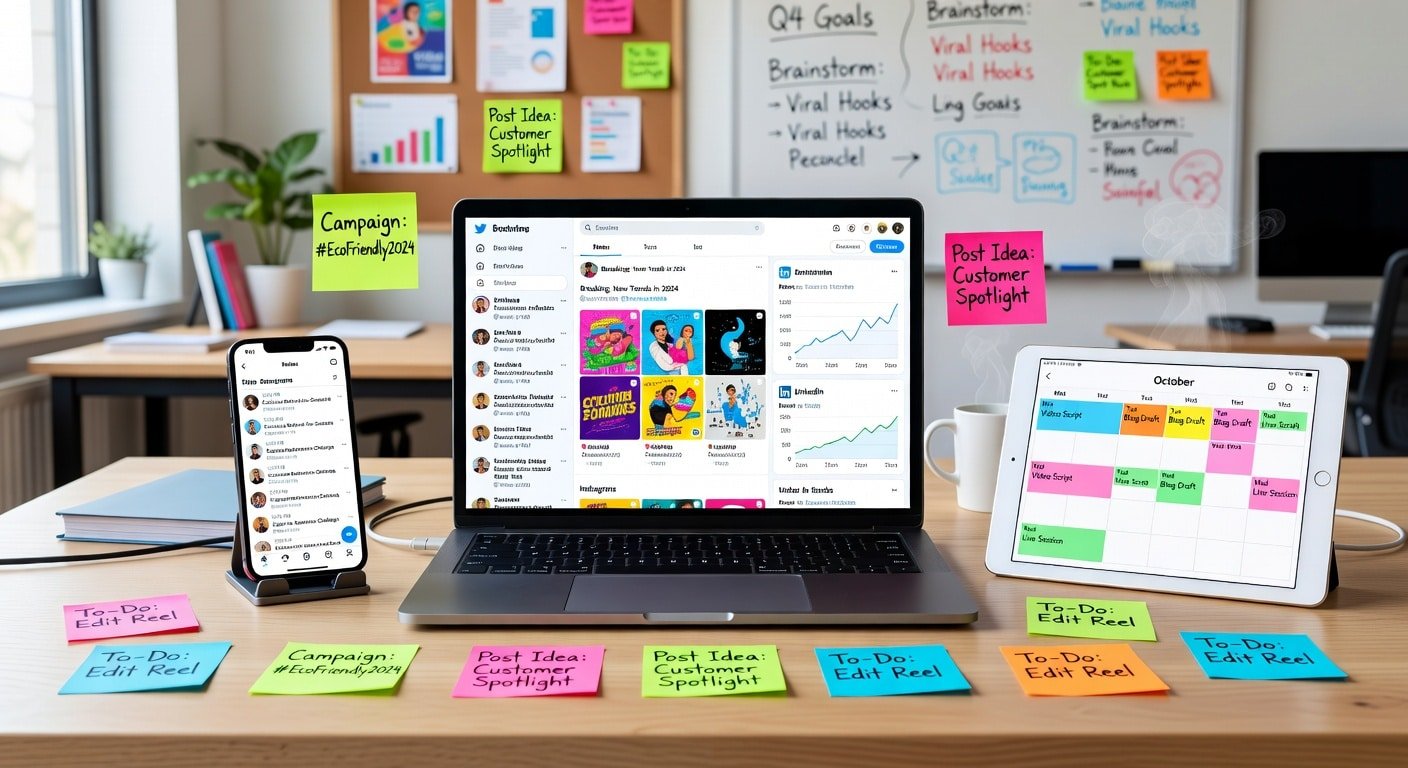
Social media done poorly wastes hours daily while generating minimal results. Social media done strategically builds brand awareness, generates leads, and drives sales while consuming just 30 to 60 minutes of focused time weekly.
The difference isn’t posting more. It’s having a system that plans content in advance, schedules posts efficiently, maintains consistency across platforms, and measures what actually works.
This project creates a complete social media management system including platform selection, content calendar development, scheduling tool implementation, content creation workflows, and analytics tracking that transforms social media from time-consuming chaos into organized marketing asset.
Random, sporadic social media posting is worse than no social media presence. It signals disorganization, inconsistency, and lack of professionalism to potential customers who check your profiles.
Strategic social media management provides brand visibility where customers spend time daily, relationship building through consistent engagement, traffic generation to your website and content, social proof through growing follower counts, and customer service channel for quick responses.
The cost of disorganized social media:
Hours wasted each week scrambling for content to post. Inconsistent presence damaging brand perception. Missed opportunities during high-engagement times. Inability to track what content drives business results. Mental burden of daily “what should I post?” decisions.
Benefits of systematized social media:
Consistent presence maintaining top-of-mind awareness. Batch content creation reducing time by 60% to 70%. Strategic messaging aligned with business goals. Analytics showing what content drives website traffic and sales. Mental freedom from daily posting pressure.
Estimated Time: 8 to 12 hours over 10 to 14 days
Difficulty Level: Beginner to Moderate
Best completed: Over 2 weeks allowing time for content creation between setup phases
Prerequisites needed: Active social media profiles on platforms where your audience exists, basic understanding of your target audience, smartphone or camera for content creation, and budget of $0 to $30 monthly for scheduling tools.
Trying to maintain presence on every social platform guarantees mediocrity on all. Focus creates impact.
Evaluating which platforms deserve your time:
Choose platforms based on where your specific audience spends time, not where you personally prefer or where everyone says you “should be.”
LinkedIn works best for B2B services, professional services, consulting and coaching, and recruiting or employer branding. Demographics skew toward 25 to 55, college-educated professionals.
Facebook remains effective for local businesses, B2C products and services, community building, and older demographics. Strong 35+ user base with declining younger users.
Instagram excels for visual businesses (food, fashion, design, travel), lifestyle brands, B2C products, and younger demographics. Strongest with 18 to 34 age group.
Twitter (X) suits real-time news and commentary, tech industry, thought leadership, and customer service. Active users skew toward early adopters and news followers.
TikTok dominates for B2C brands targeting under-30 demographics, entertainment and education hybrid content, and viral potential. Requires significant content creation investment.
Pinterest works for DIY, recipes, home decor, fashion, and wedding industries. Heavily female audience (60%+) with purchase intent.
For most small businesses: Start with 2 to 3 platforms maximum. Master those before expanding.
Setting measurable social media goals:
Vague goals like “increase engagement” don’t drive decisions or show success. Set specific objectives:
Increase website traffic from social media by 40% within 90 days. Generate 10 qualified leads monthly from LinkedIn content. Grow Instagram following by 500 engaged followers in 6 months. Achieve 5% engagement rate (likes, comments, shares per post). Drive 20 consultation bookings quarterly from Facebook content.
Goals should connect to business outcomes, not vanity metrics like follower counts.
Random posting about whatever comes to mind creates scattered, ineffective social presence. Content pillars create consistency and strategic messaging.
Developing content pillars:
Content pillars are 3 to 5 core themes you post about consistently. They align with your business value and audience interests.
Example for accounting firm:
Pillar 1: Tax Tips and Planning (40% of content)
Pillar 2: Business Finance Education (30% of content)
Pillar 3: Behind the Scenes and Team Culture (20% of content)
Pillar 4: Client Success Stories (10% of content)
Example for fitness coaching business:
Pillar 1: Workout Tutorials and Tips (35% of content)
Pillar 2: Nutrition Advice and Recipes (30% of content)
Pillar 3: Motivation and Mindset (20% of content)
Pillar 4: Client Transformations (15% of content)
Your pillars should educate, inspire, or entertain (ideally combining two of three).
Defining your brand voice and messaging:
Consistent voice across posts builds recognizable brand identity. Define your voice by choosing positions on spectrums:
Formal vs. Casual (professional but approachable)
Serious vs. Humorous (informative with light moments)
Respectful vs. Irreverent (respectful with personality)
Enthusiastic vs. Matter-of-fact (passionate without hype)
Write example posts in your voice, then use them as templates for consistency.
Balancing promotional and value-driven content:
The 80/20 rule works well for most businesses: 80% valuable, educational, or entertaining content and 20% promotional content.
Value-driven content builds trust and audience. Promotional content converts that audience to customers. Too much promotion and people unfollow. Too little and social media doesn’t drive business results.
Content calendars eliminate daily “what should I post?” paralysis and ensure strategic, consistent output.
Choosing calendar format:
Simple spreadsheet (Google Sheets or Excel) works perfectly for most small businesses. Track date, platform, content type, copy, media needed, and link/CTA.
Dedicated tools like Trello, Notion, or Airtable provide more visual planning if preferred.
Planning content in advance:
Plan 30 days ahead minimum. This allows strategic thinking versus reactive posting.
Monthly planning session (2 to 3 hours):
Review previous month’s analytics to see what performed well. Identify key dates, holidays, or events to acknowledge. Brainstorm content ideas for each pillar. Map specific posts to specific days. Identify content creation needs (photos, graphics, videos).
Weekly content themes:
Creating themes for each day reduces decision fatigue:
Monday: Motivation or week kickoff
Tuesday: Educational tips or how-to
Wednesday: Behind the scenes or team spotlight
Thursday: Throwback or case study
Friday: Fun or weekend-related
Weekend: Inspirational or community content
Adjust themes to fit your business and audience.
Content batching for efficiency:
Creating one post at a time wastes enormous time through context-switching. Batch similar tasks:
Dedicate 2 hours to write all copy for the week. Spend 1 hour creating or sourcing all images for the week. Use 1 hour to schedule everything at once.
Batching reduces 7+ hours of scattered posting to 4 hours of focused creation.
Scheduling tools separate content creation from content publishing, enabling batch workflow and consistent posting.
Comparing social media scheduling platforms:
Buffer offers clean, simple interface perfect for beginners, free plan for 3 social accounts with 10 scheduled posts each, excellent analytics, and browser extension for easy content sharing. Best for small businesses wanting simplicity. Paid plans start at $6/month per social channel.
Hootsuite provides comprehensive management dashboard, free plan for 2 social accounts with 5 scheduled posts, advanced team collaboration features, and social listening capabilities. Best for agencies or businesses managing multiple brands. Paid plans start at $99/month.
Later specializes in Instagram and visual content, visual content calendar for planning, free plan for 1 social set per platform with 10 posts per month, and Instagram-first features like link in bio. Best for visually-focused businesses. Paid plans start at $18/month.
Meta Business Suite (free) manages Facebook and Instagram from one dashboard, allows scheduling posts to both platforms, provides unified inbox for messages, and offers detailed analytics. Best for businesses focused only on Facebook and Instagram.
SocialBee offers category-based scheduling, content recycling for evergreen posts, approval workflows, and variations for each network. Best for businesses wanting advanced automation. Starts at $29/month.
For most small businesses starting out, Buffer’s free tier or Meta Business Suite provides sufficient functionality.
Setting up your scheduling tool:
Create account with business email. Connect social media accounts (authorize access). Configure posting schedule and optimal times. Set up categories or content pillars if tool supports. Familiarize yourself with scheduling interface.
Understanding optimal posting times:
Generic “best times to post” advice is worthless. Your audience’s behavior matters, not industry averages.
Most platforms provide analytics showing when your followers are most active. Schedule important posts during those windows.
General starting points to test:
LinkedIn: Tuesday through Thursday, 7 to 9 AM and 12 to 2 PM
Facebook: Wednesday through Friday, 9 AM to 2 PM
Instagram: Monday through Friday, 11 AM and 7 to 9 PM
Twitter: Monday through Friday, 8 to 10 AM and 6 to 9 PM
Test different times and analyze engagement to optimize.
Efficient content creation systems prevent bottlenecks that derail consistent posting.
Creating reusable post templates:
Templates speed creation while maintaining quality and consistency.
Educational tip template:
“[Attention-grabbing question or statement]
[Brief context or problem]
[Specific tip or solution]
[Why this matters]
[Call-to-action or question for engagement]”
Behind-the-scenes template:
“[What’s happening in the photo/video]
[Why this moment matters to your business]
[Lesson or insight from experience]
[Invitation to engage]”
Client success template:
“[Client challenge before working with you]
[What you did together]
[Results achieved]
[Client quote if available]
[How others can achieve similar results]”
Templates don’t make posts robotic. They provide structure speeding creation while ensuring key elements are included.
Building a content asset library:
Create organized folders for:
Photos (products, team, office, behind-the-scenes)
Graphics (quotes, tips, statistics)
Videos (testimonials, tutorials, behind-the-scenes)
Stock images (from Unsplash, Pexels, or Canva)
Tag or name files clearly for easy finding when scheduling posts.
Designing graphics with Canva:
Canva provides free, user-friendly graphic design perfect for social media. Create free account and explore social media templates.
Creating branded templates:
Set up brand kit with your colors, fonts, and logo. Create templates for quote graphics, tip posts, announcement graphics, and promotional posts. Save templates for reuse with different text.
Consistent visual style makes your content instantly recognizable in feeds.
Mobile content capture strategy:
Smartphones enable quick, authentic content creation. Take photos and videos during regular business activities. Capture client interactions (with permission). Document behind-the-scenes moments. Record quick video tips or thoughts.
Store in cloud folder (Google Photos, iCloud, Dropbox) accessible when scheduling posts.
Posting content is half the equation. Engagement builds community and drives business results.
Establishing engagement routines:
Social media is called social for a reason. One-way broadcasting misses the opportunity for relationship building.
Daily engagement tasks (15 to 20 minutes):
Respond to all comments on your posts within 24 hours. Answer direct messages promptly. Like and comment on followers’ posts (5 to 10 meaningful interactions). Engage with industry hashtags or topics relevant to your business.
Weekly engagement tasks (30 to 45 minutes):
Thank new followers with welcome message or like. Engage with potential customers showing buying signals. Share user-generated content featuring your business. Join relevant groups or communities with value-add comments.
Consistent engagement builds reciprocity. People who feel heard and valued become customers and advocates.
Responding to comments strategically:
Every comment is an opportunity to deepen relationship or provide value.
For positive comments: Thank personally and continue conversation with question. Highlight especially insightful comments in future posts.
For questions: Provide helpful answer publicly (demonstrates expertise to lurkers). Invite complex questions to DM or email for personalized help.
For criticism: Respond professionally and empathetically. Take contentious discussions to private message. Never delete negative but fair feedback (shows transparency).
For spam or trolls: Delete and block. Don’t engage or give oxygen.
Using engagement to drive business conversations:
Watch for buying signals in comments and DMs:
Questions about pricing or services. Requests for recommendations. Compliments indicating high interest. Shares suggesting advocacy.
Respond helpfully while inviting deeper conversation: “Thanks for asking! This would be perfect for [their situation]. I’d love to learn more about what you’re looking for. Mind if I send you a DM?”
Transition interested engagers from social platforms to email, phone, or meeting.
Data reveals what’s working and what’s wasting time, enabling continuous improvement.
Platform-specific analytics to monitor:
Reach and impressions: How many people see your content. Growth indicates expanding visibility.
Engagement rate: Likes, comments, shares, saves relative to followers or reach. Indicates content resonance. Aim for 2% to 5% minimum.
Click-through rate: Percentage clicking links in posts. Directly shows content driving traffic.
Follower growth: Net new followers minus unfollows. Should trend upward consistently.
Top-performing posts: Which content gets most engagement, clicks, or saves. Do more of what works.
Audience demographics: Age, location, gender, interests. Verify you’re reaching intended audience.
Most platforms provide native analytics. Facebook Insights, Instagram Insights, LinkedIn Analytics, and Twitter Analytics all offer robust free data.
Creating monthly analytics review process:
Schedule 30 to 60 minutes monthly to review performance. Export or screenshot key metrics. Compare to previous month and same month previous year.
Questions to answer:
Which posts drove most engagement? Which posts drove most website traffic? What content types performed best? What posting times worked best? How does follower growth trend? Are we reaching our target demographic?
Document insights and adjust next month’s content accordingly.
Connecting social media to business results:
Vanity metrics like follower counts don’t pay bills. Track business impact:
Use UTM parameters on links to track social traffic in Google Analytics. Monitor conversions from social traffic (newsletter signups, contact forms, purchases). Track mentions of social media in customer intake (“How did you hear about us?”). Monitor direct messages leading to sales conversations.
Individual heroics don’t scale. Systems and processes create sustainable social media presence.
Documenting your social media process:
Create simple written guide including content calendar template, scheduling tool login and process, brand voice examples and don’ts, image specifications for each platform, hashtag strategy, approval process if needed, and engagement expectations and response templates.
Documentation enables delegation and prevents knowledge silos.
Batch workflows for maximum efficiency:
Monthly planning session (2 to 3 hours on last week of month). Weekly content creation session (2 to 3 hours early in week). Weekly scheduling session (30 to 45 minutes). Daily engagement blocks (15 to 20 minutes morning and evening).
Total time investment: 4 to 6 hours weekly for professional, consistent social presence across 2 to 3 platforms.
Assigning roles for team management:
For teams managing social media together:
Strategist plans content calendar and themes. Creator produces graphics, writes copy, sources images. Scheduler loads content into scheduling tool. Engager responds to comments and DMs. Analyst reviews monthly performance and reports insights.
One person can fill multiple roles, but clear assignment prevents confusion.
Contingency planning for consistency:
Life happens. Systems prevent social media going dark during busy or stressful periods.
Build 2-week buffer of scheduled content. Create evergreen content library for emergencies. Establish backup person who can handle basics if primary person is unavailable. Prepare “we’re taking a break” message if needed for extended absence.
Before considering your social media system complete:
Social media management combines strategy, content creation, graphic design, copywriting, community management, and analytics. The breadth intimidates many business owners.
Common reasons to seek professional help include limited time for weekly content creation and engagement, uncertainty about effective content strategy, lack of design skills for professional graphics, need for sophisticated analytics and reporting, and desire to focus on core business rather than social media.
Explore our social media management services where we handle strategy development, content calendar planning, graphic design and copywriting, scheduling and posting, community engagement, and monthly analytics reporting. Review service pricing for packages matching your needs.
Social media chaos transforms into strategic marketing asset through systems, batching, and consistency. The project outlined here creates foundations for sustainable social presence requiring 4 to 6 focused hours weekly instead of scattered daily scrambling.
The investment in setup, calendar creation, and workflow development pays dividends through reduced stress, improved consistency, better results, and mental freedom from constant “what should I post?” anxiety.
Social media done strategically builds long-term brand awareness and relationship equity that drives business results. Social media done reactively wastes time while generating minimal impact.
This system ensures you’re in the first category, creating compounding value from your social media presence.
How long does it take to see results from consistent social media?
Immediate results include consistency appearing more professional to profile visitors. Traffic and engagement improvements typically surface within 30 to 60 days of consistent posting. Lead generation and sales impact generally appears within 90 to 180 days as audience and trust build.
Do I really need to be on multiple social platforms?
No. Better to excel on 1 to 2 platforms where your audience exists than mediocre presence on 5 platforms. Start focused, master those platforms, then expand if time and resources allow.
How do I get followers without paying for ads?
Consistent, valuable content attracts organic followers. Engage authentically with your target audience. Use relevant hashtags strategically. Collaborate with complementary businesses. Provide so much value people want to follow for more. Growth is slower than paid ads but builds more engaged audience.
Should I use automation tools for engagement?
No. Automated likes, comments, and follows feel inauthentic and violate most platforms’ terms of service. Use automation for scheduling posts, not for engagement. Genuine relationship building requires human touch.
What if I run out of content ideas?
Content pillars prevent this. Each pillar generates dozens of specific post ideas. Repurpose successful content in different formats. Answer common customer questions. Share behind-the-scenes moments. Curate relevant content from others. Content ideation gets easier with practice and systems.
Two fixed-scope builds that fix both problems. No retainer to start. Live in under two weeks.