


 FREE + PRACTICAL
Join Practical Tools Explained and get practical website and automation tips that help small businesses capture more leads, follow up faster, and waste less time on manual work.
No fluff. No spam. Just useful advice for small business owners who want better systems and more revenue.
Stop losing leads to slow websites and manual tasks. Get a complete Website and Workflow Checkup for just $97. Start Here→
The window between a signed contract and the first meaningful client interaction is one of the most underused opportunities in a service business. Most clients sign and then wait. They wait for a welcome email that takes a day to arrive. They wait for a questionnaire that comes separately. They wait for access to resources that require someone to manually send a link. And during that waiting period, the initial excitement of starting something new quietly deflates into mild uncertainty about whether they made the right choice.
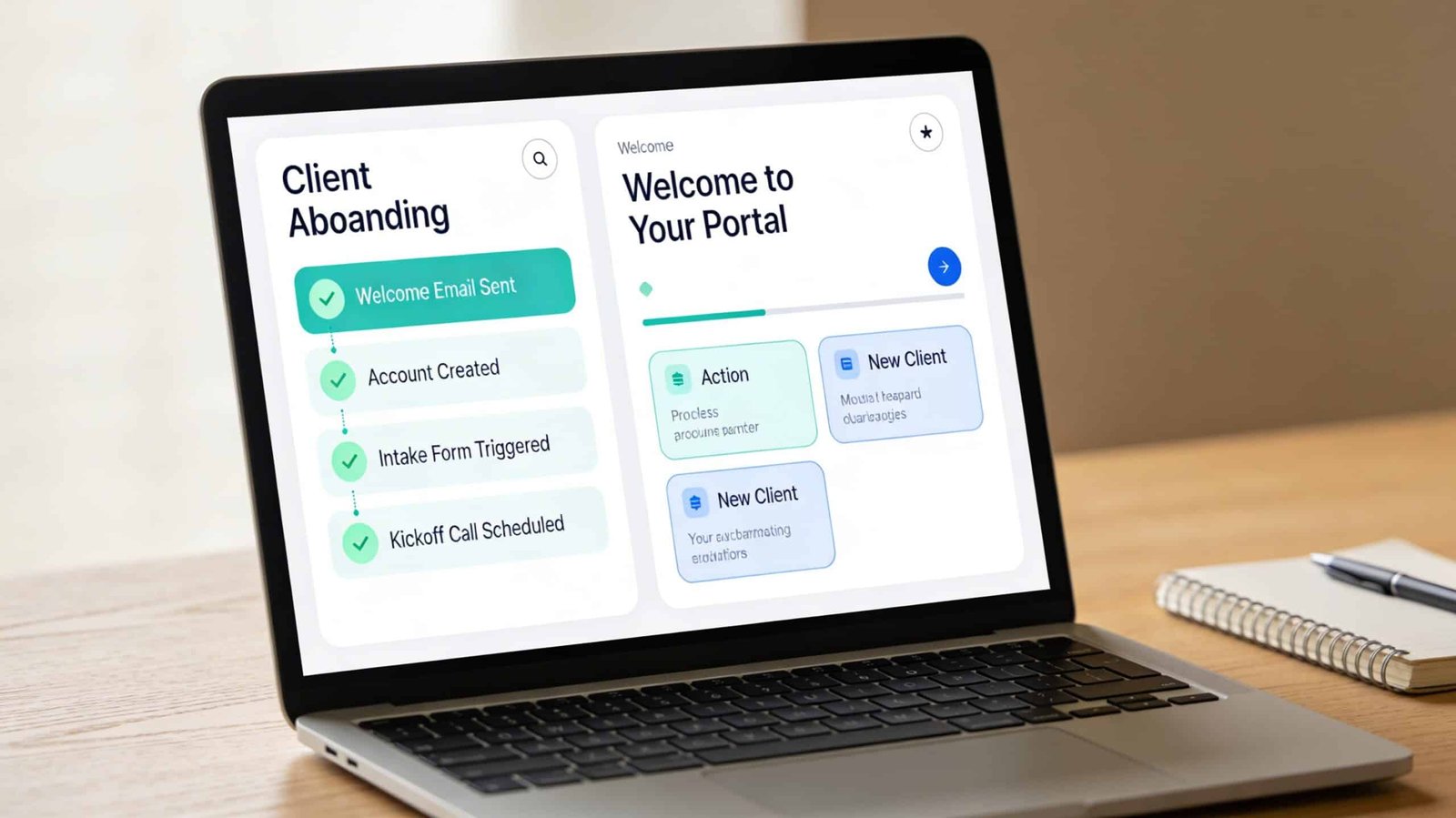
A client onboarding system that runs automatically eliminates that deflation entirely. The moment a contract is signed, things happen. The client receives a welcome, gets access to what they need, knows exactly what comes next, and feels like the engagement has already started. None of that requires you to be at your desk.
What Good Onboarding Actually Does
Before mapping any automation, it helps to be clear about what onboarding is supposed to accomplish. It serves three functions that are distinct from each other even though they often get bundled together.
The first function is administrative: collecting the information you need to do the work. A signed contract, an intake questionnaire, payment or deposit confirmation, brand assets, login credentials, whatever is specific to your service. This is the most commonly automated part of onboarding because it’s the most obviously repetitive. Every client needs to complete the same intake steps. Building a form that collects everything in one pass, rather than requesting items piecemeal over several days, compresses the administrative timeline significantly and prevents the back-and-forth that delays project start.
The second function is relational: communicating clearly about what the client can expect, when they’ll hear from you, how to reach you, and what their role is in the process. Clients who understand the process upfront ask fewer check-in questions, are less likely to go quiet when you need their input, and are more likely to give you what you need on time. The welcome communication isn’t a formality. It’s a direct investment in how smoothly the project runs.
The third function is motivational: delivering an early win that makes the client feel that the engagement is already producing value before the substantive work is complete. This might be a resource, a framework, a checklist, or a recorded explanation of how you approach their type of problem. Something that gives them something useful immediately and reinforces that choosing to work with you was the right decision.
Most onboarding processes handle the first function adequately and the second function inconsistently. Very few handle the third at all.
The Contract-to-Kickoff Automation
The trigger for the onboarding workflow is contract signature. Tools like DocuSign, PandaDoc, and HoneyBook all support automation triggers on signature events, either natively or through Zapier. The moment the signature is recorded, the workflow fires.
Step one of the workflow sends the welcome email. This email should be written personally, not like a system notification. It confirms the contract is signed, expresses genuine enthusiasm about the work ahead, and contains exactly three things: what the client receives access to immediately, what they need to complete before the project starts, and when they’ll next hear from you. Nothing more. A welcome email that tries to explain your entire process in one message creates cognitive overhead rather than reducing it.
Step two creates the project record in your project management tool with pre-built tasks already assigned and dated. If you use ClickUp, Asana, or Notion, most of these platforms allow you to create a project template that can be duplicated and auto-populated with a client’s name and project-specific details via a Zapier or Make automation triggered by the contract signature event. The project record exists, the tasks are created, the due dates are calculated from the start date, and none of that required manual setup. By the time you open your project management tool that morning, the new project is already there.
Step three delivers the intake form. Rather than a generic form, the intake should be specific to the service the client purchased and should request only what you genuinely need before work starts, not everything that might be useful at some point during the engagement. Long intake forms that arrive immediately after contract signing create a barrier at the worst possible moment. Keep the required fields to the minimum necessary to start. Secondary information can be requested at a later natural touchpoint.
Step four, which is the one most onboarding automations skip, delivers the early-win resource. This is a piece of content, a video walkthrough, a one-page guide, a template, whatever is specific to your service category, that gives the client something immediately useful. It can be as simple as a recorded explanation of how to prepare for the kickoff call, or a checklist of the things clients can do in the first week to make the engagement more productive. The format matters less than the fact that it arrives immediately and demonstrates that your engagement has already started delivering value before the kickoff call happens.
The Tools That Handle This Without Custom Development
HoneyBook, Dubsado, and 17hats are service business management platforms that handle contracts, invoicing, intake forms, and basic automated workflows natively in one tool. For solo operators and small service teams, these platforms handle the majority of the onboarding automation without requiring a separate CRM, form tool, and automation platform stitched together. HoneyBook in particular has improved its workflow automation significantly and is worth evaluating if you’re currently managing onboarding across several disconnected tools.
For businesses that already have a CRM and project management tool they want to keep, the integration approach using Make or Zapier connects them without requiring a platform change. The connections that matter most are: contract tool to CRM to trigger the workflow, CRM to project management tool to create the project, and CRM to email platform to send the welcome sequence. Each of those connections is a standard Zapier template available in the integration library for most common tool combinations.
Client portal access is worth adding to the onboarding automation for businesses that use a centralized portal for client communication. Tools like Copilot, Notion, and even a shared Google Drive folder can be set up so that access is granted automatically when the contract is signed. The client receives an invitation link in the welcome email and their portal is already populated with relevant resources. From their perspective, everything was ready the moment they signed. The reality is that the portal template was built once and gets duplicated automatically for each new client.
The project management tool comparison is useful context here for choosing where the project record lives. The onboarding automation is only as clean as the project management foundation underneath it. If your project setup is inconsistent between clients, the automation will reflect that inconsistency. Standardizing your project template is a prerequisite for reliable onboarding automation.
Handling the Variations That Break Generic Automations
Most onboarding automations break when clients deviate from the expected path. They don’t complete the intake form. They don’t access the portal. They reply to the welcome email with a question the automation wasn’t designed to handle. Building in human checkpoints at specific moments prevents a well-designed automation from producing a bad client experience when the path diverges.
A task in your project management tool that fires three days after the onboarding sequence starts, labeled “Confirm client has completed intake and accessed portal,” is a simple manual checkpoint. It’s not a complex conditional branch in the automation. It’s a reminder for a human to verify that the automated steps produced their intended result. For new clients who haven’t completed intake or haven’t accessed the portal by day three, a short personal follow-up from you or your team member is faster and more effective than an automated reminder sequence.
The goal of client onboarding automation is not to remove the human relationship from the early engagement. It is to remove the administrative friction that delays the human relationship from starting. When the contract signatures, intake collection, project setup, and resource delivery are all handled automatically, the first human interaction you have with the client is a kickoff conversation about the actual work, not a status check on whether they received the form you sent. That shift changes the client’s experience of starting with you and changes how you experience taking on a new client.
If you’re currently spending two to four hours on manual onboarding tasks per new client, a properly configured onboarding automation returns most of that time within the first month of implementation. The setup investment is typically four to six hours spread across one focused afternoon and a few days of testing. After that it runs on its own.
What to Test Before Going Live
Run yourself through the onboarding sequence as a test client before the first real client experiences it. Sign a test contract using a test email address. Verify that the welcome email arrives in under five minutes and contains accurate information. Check that the project was created correctly in your project management tool. Complete the intake form and confirm the data goes where it’s supposed to. Access the client portal and confirm the resources are there and correctly organized.
The errors that slip through untested onboarding automations are almost always small and easy to fix. A field that didn’t map correctly from the form. A link in the welcome email that points to the wrong page. A project template that duplicated incorrectly. These take minutes to fix once caught. They create a noticeably poor first impression for a real client if they’re left uncaught.
Test it. Fix what’s broken. Then let it run.