


Stop losing leads to slow websites and manual tasks. Get a complete Website and Workflow Checkup for just $97. Start Here→
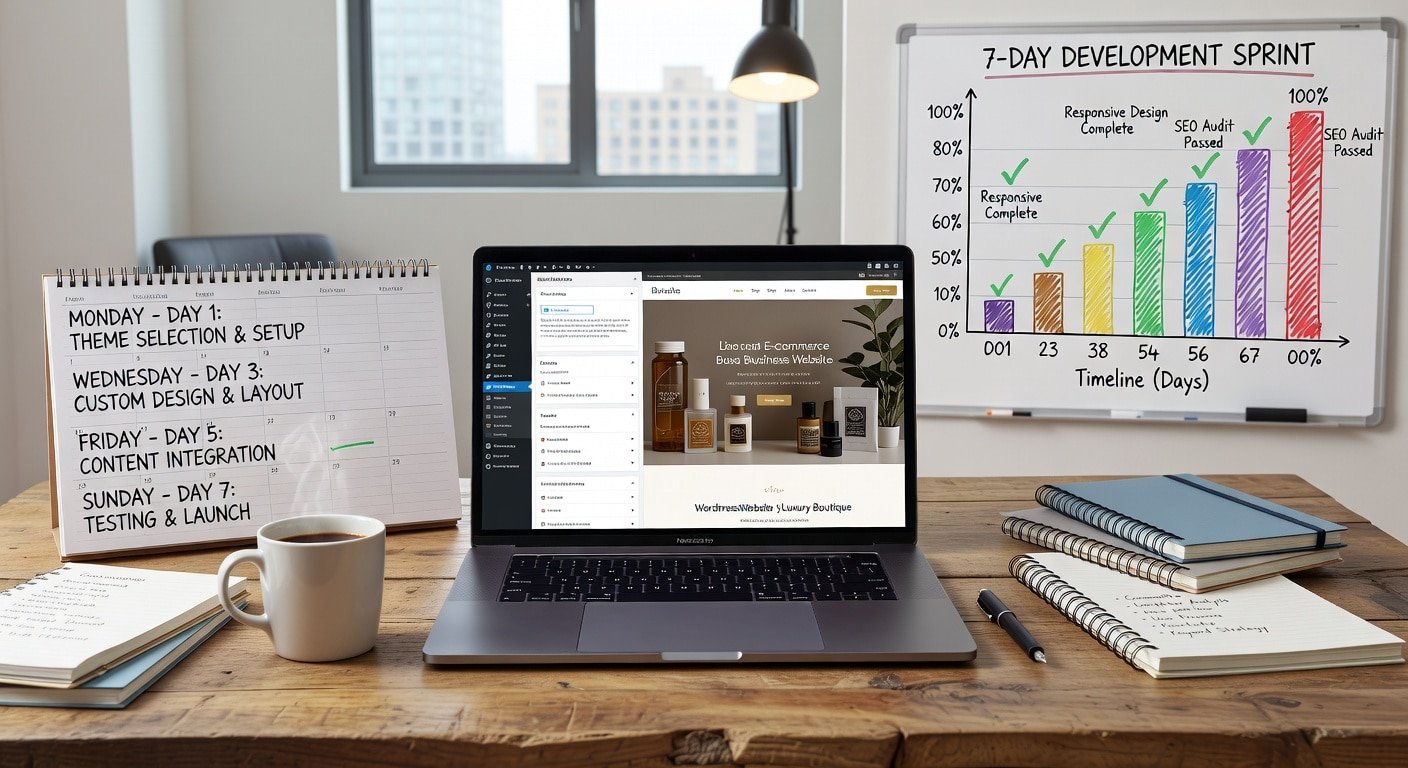
Your business needs a professional website, but hiring an agency costs $3,000 to $10,000 and takes months. This structured 7-day project shows you how to launch a professional WordPress website yourself, even with zero technical experience.
This isn’t about creating a basic placeholder site. By following this day-by-day plan, you’ll have a fully functional, professional-looking website with core pages, mobile optimization, basic SEO, contact forms, and everything needed to start attracting customers.
WordPress powers over 40% of all websites globally because it balances power with usability. You don’t need to write code or understand web hosting complexities. You just need to follow the systematic approach outlined in this project.
In 2025, not having a website is like not having a phone number in 1995. Potential customers search online before making purchasing decisions, and if you don’t exist online, you don’t exist in their consideration.
A professional website provides 24/7 marketing that never sleeps, credibility that social media alone can’t provide, control over your brand presentation, a platform for content marketing and SEO, and a hub connecting all your other online presence.
The cost of not having a website:
Customers find competitors instead of you. You can’t capture leads while you sleep. Your social media followers have no place to learn more. You have no control over how your business appears online. You miss out on Google search traffic worth thousands monthly.
Why WordPress specifically:
WordPress offers unmatched flexibility to grow with your business. Thousands of themes and plugins extend functionality without custom development. A massive support community means answers to any question already exist online. You own and control everything rather than being locked into proprietary platforms.
Estimated Time: 15 to 20 hours over 7 days
Difficulty Level: Beginner-friendly with moderate technical components
Best completed: Evenings and weekend to maintain business operations
Prerequisites needed: Business name and branding basics, content about your business (even rough drafts), logo or business name graphic (if available), business photos or willingness to use stock images, and budget of $100 to $200 for domain, hosting, and premium theme.
Foundation work prevents costly mistakes later. Spend Day 1 planning rather than jumping straight into building.
Morning: Define your website goals (2 hours)
What should your website accomplish? Common small business website goals include generating leads through contact forms, showcasing services or products, establishing credibility and professionalism, providing information customers frequently request, and enabling online bookings or purchases.
Write down your top 3 goals. Every decision going forward should support these objectives.
Afternoon: Domain and hosting setup (2 to 3 hours)
Your domain name is your website address (like yourbusiness.com). Choose something memorable, short, professional, and preferably matching your business name.
Check domain availability at Namecheap, GoDaddy, or directly through hosting providers. If your ideal .com is taken, consider variations or alternative extensions, though .com remains most trusted.
Recommended hosting for WordPress beginners:
Bluehost ($2.95 to $13.95/month) offers beginner-friendly interfaces with one-click WordPress installation and strong customer support.
SiteGround ($2.99 to $14.99/month) provides excellent performance and security with managed WordPress hosting.
HostGator ($2.75 to $5.95/month) delivers budget-friendly hosting with adequate performance for small business sites.
All three include free domain for the first year and free SSL certificates for security.
Setting up hosting and installing WordPress:
Sign up for hosting plan and register domain. Most hosts offer one-click WordPress installation. Access your hosting control panel (cPanel). Find “WordPress” or “Softaculous Apps Installer.” Click install, choose your domain, and set admin username and password.
WordPress installation typically completes in under 5 minutes.
Evening: Initial WordPress configuration (1 hour)
Log into your WordPress admin at yourdomain.com/wp-admin. Update permalink structure to “Post name” for SEO-friendly URLs. Set your timezone and date format. Create strong admin password if you didn’t during installation. Enable or disable comments based on your preference.
Your theme determines your website’s design and much of its functionality.
Morning: Research and select theme (2 hours)
Free themes from the WordPress repository work for basic sites. Premium themes ($30 to $60) offer more design options, better support, and advanced features.
Recommended beginner-friendly themes:
Astra (free and premium versions) is lightweight, fast, and highly customizable with starter templates for various industries.
OceanWP (free and premium) provides beautiful designs with extensive customization options.
GeneratePress (free and premium) focuses on speed and accessibility while remaining flexible.
Kadence (free and premium) offers modern designs with powerful built-in features.
Choose a theme with demo content matching your industry. This provides a starting point you can customize rather than building from scratch.
Afternoon: Install and activate theme (2 hours)
Navigate to Appearance then Themes in WordPress admin. Click “Add New” and search for your chosen theme. Install and activate the theme. If using premium theme, upload the theme file.
Most modern themes include demo import features. Import demo content that matches your business type. This provides placeholder content you’ll replace with your actual information.
Evening: Basic customization (1 to 2 hours)
Navigate to Appearance then Customize. Upload your logo or set site title. Choose color scheme matching your brand. Select fonts that are readable and professional. Configure header and footer layouts.
Don’t perfect everything now. Rough customization today lets you see how pages will look as you build content tomorrow.
Plugins extend WordPress functionality without coding.
Morning: Install essential plugins (1 to 2 hours)
Essential plugins for small business websites include Yoast SEO or Rank Math for search engine optimization, Contact Form 7 or WPForms for contact forms, UpdraftPlus for automated backups, Wordfence or Sucuri for security, and WP Rocket or W3 Total Cache for speed optimization.
Install plugins from Plugins then Add New in WordPress admin. Search by name, install, and activate each plugin. Follow initial setup wizards for plugins like Yoast SEO and Wordfence.
Afternoon: Create core pages (3 to 4 hours)
Every small business website needs these fundamental pages:
Homepage: Your digital storefront. Include clear headline stating what you do, brief description of services or products, benefits for customers, call-to-action (contact, call, book appointment), and trust elements (testimonials, credentials, years in business).
About Page: Builds trust and connection. Include your story and why you started the business, team member introductions, credentials and qualifications, what makes you different from competitors, and your values and approach.
Services Page: Detail what you offer. Create separate pages for each main service if you have multiple offerings. Include what’s included, who it’s for, pricing (if applicable), and process or timeline.
Contact Page: Make it easy to reach you. Use contact form plugin installed earlier. Include phone number, email address, physical address if relevant, business hours, and social media links.
Create these pages using Pages then Add New in WordPress. Don’t worry about perfect copy. Rough drafts today can be refined tomorrow.
Today focuses on refining your content and making it search-friendly.
Morning: Refine page content (2 to 3 hours)
Review yesterday’s rough page drafts. Improve clarity and readability with short paragraphs (3 to 4 sentences maximum), bullet points for easy scanning, subheadings breaking up text, and active voice rather than passive.
Write for your customer, not yourself:
Focus on benefits (what customers gain) rather than features (what your service includes). Answer common questions customers ask. Use language your customers use, not industry jargon. Include clear calls-to-action on every page.
Afternoon: Add images and media (2 hours)
Visual content makes pages more engaging and professional. Use your own business photos if available. Stock photos from Unsplash, Pexels, or Pixabay provide free alternatives. Ensure images are optimized (under 200KB) for fast loading.
WordPress makes adding images simple. Click “Add Media” while editing pages. Upload images and insert into content. Add alt text describing images for SEO and accessibility.
Evening: Basic SEO optimization (1 to 2 hours)
Using Yoast SEO or Rank Math plugin:
Set focus keyword for each page (the main phrase customers would search). Write compelling meta descriptions (under 155 characters) for each page. Ensure title tags include keywords and are under 60 characters. Add internal links between related pages. Structure content with H1, H2, and H3 headings.
SEO is ongoing, but these basics give you a strong starting point.
A beautiful website is useless if visitors can’t find what they need.
Morning: Create navigation menu (1 hour)
Navigate to Appearance then Menus. Create main navigation menu. Add your core pages (Home, About, Services, Contact). Arrange in logical order (typically: Home, About, Services, Portfolio/Gallery, Contact).
Keep main navigation to 5 to 7 items maximum. Additional pages can go in footer menu or sub-menus.
Assign menu to appropriate location (usually “Primary Menu” or “Main Menu”).
Afternoon: Improve user experience (2 to 3 hours)
Test every link to ensure nothing is broken. Verify contact form submissions work. Check that phone numbers are clickable on mobile. Ensure all important information is within 2 clicks from homepage. Add search functionality if you have many pages or blog posts.
Walk through your website as a customer would. Can you easily find services? Is contact information obvious? Do calls-to-action stand out?
Evening: Mobile optimization (1 to 2 hours)
Over 60% of website traffic comes from mobile devices. Your site must work flawlessly on phones and tablets.
Most modern WordPress themes are responsive by default, but verify:
Visit your website on your phone. Test all menus and navigation. Verify images aren’t cut off or distorted. Ensure text is readable without zooming. Check that buttons and forms work properly.
Make adjustments in theme customizer if mobile view isn’t optimal.
Technical optimization ensures your website is fast, secure, and professional.
Morning: Speed optimization (2 hours)
Slow websites lose visitors and rank poorly in search engines. Use tools like GTmetrix or Google PageSpeed Insights to test current speed.
Speed improvement tactics include installing caching plugin (WP Rocket, W3 Total Cache, or WP Super Cache), optimizing images with Smush or ShortPixel, enabling lazy loading for images, and minifying CSS and JavaScript (often included in caching plugins).
Aim for page load times under 3 seconds. Most caching plugins have simple setup wizards that handle technical details.
Afternoon: Security hardening (1 to 2 hours)
Websites face constant security threats. Basic security measures include:
Installing security plugin like Wordfence or Sucuri. Enabling two-factor authentication for admin login. Changing default “admin” username. Limiting login attempts to prevent brute force attacks. Keeping WordPress, themes, and plugins updated. Enabling automatic backups with UpdraftPlus.
Security isn’t optional. Even small business websites get hacked, usually through automated attacks targeting common vulnerabilities.
Evening: SSL certificate and analytics (1 hour)
SSL certificates encrypt data and are required for professional websites. Most hosting providers include free SSL certificates.
Activate SSL in hosting control panel. Install Really Simple SSL plugin to handle redirects. Verify your site loads with “https://” rather than “http://”.
Set up Google Analytics:
Create free Google Analytics account. Add tracking code to your website (manually or via plugin like MonsterInsights). Verify tracking is working by visiting your site and checking real-time reports.
Analytics show how many people visit, what pages they view, and where they come from, essential data for improvement.
Launch day focuses on testing everything thoroughly before announcing your website publicly.
Morning: Comprehensive testing (2 to 3 hours)
Create testing checklist and verify:
Every link works and goes to intended destination. Contact form submissions deliver to correct email address. Phone numbers are clickable on mobile devices. Email addresses link correctly. Social media icons link to correct profiles. All images load properly. No placeholder text or “lorem ipsum” remains. Spelling and grammar are correct throughout. Footer contains copyright notice and necessary legal links.
Test on multiple browsers (Chrome, Firefox, Safari, Edge). Test on desktop, tablet, and mobile devices.
Afternoon: Legal pages and final details (2 hours)
Professional websites include:
Privacy Policy explaining how you handle visitor data. Terms of Service if applicable to your business. Cookie notice if you use cookies or analytics. Contact information and business hours clearly displayed.
Free privacy policy generators like TermsFeed or PrivacyPolicies.com create basic policies. Consult a lawyer for businesses with specific legal requirements.
Evening: Soft launch and announcement (1 hour)
Update social media profiles with your website URL. Send email to existing customers announcing your new website. Submit your website to Google Search Console for indexing. Create Google My Business profile linking to your website. Share website on LinkedIn, Facebook, and other platforms.
Don’t wait for perfection. Launch with good-enough content and improve based on real visitor behavior.
Your website launch isn’t the end, it’s the beginning.
Week 1 after launch:
Monitor contact form submissions daily. Review Google Analytics to understand visitor behavior. Fix any issues visitors report. Check search console for crawl errors.
Week 2-4 after launch:
Add blog post or two with helpful content. Gather and add customer testimonials. Consider adding FAQ page based on common questions. Start basic content marketing to drive traffic.
Ongoing maintenance:
Update WordPress, themes, and plugins monthly. Monitor website speed and optimize as needed. Refresh content quarterly to keep it current. Add new content regularly for SEO benefits. Back up website weekly or after significant changes.
Website looks different than demo:
Demo content includes specific images, text lengths, and widgets. Match demo settings in theme customizer. Verify all recommended plugins are installed. Check that demo import completed successfully.
Contact forms aren’t delivering email:
Test with different email address. Check spam folder for form submissions. Verify email settings in hosting control panel. Consider using SMTP plugin like WP Mail SMTP for reliable delivery.
Website loads slowly:
Enable caching plugin if not already active. Optimize all images to under 200KB. Disable unnecessary plugins. Check with hosting provider about server performance.
Mobile menu not working:
Clear browser cache and test again. Verify theme is updated to latest version. Check for JavaScript errors in browser console. Test on multiple mobile devices.
Before considering your website project complete:
This 7-day project is achievable for motivated business owners willing to learn. However, legitimate reasons exist to seek professional help, including limited time to invest 15 to 20 hours in website creation, need for custom functionality beyond standard themes, desire for unique design matching specific brand vision, complex integrations with other business systems, and preference to focus on core business rather than technical tasks.
Explore our WordPress website services where we handle complete website setup, custom design matching your brand, content creation and optimization, SEO configuration, and training so you can manage updates yourself going forward. Review our service pricing to find the package that fits your needs.
Launching a professional WordPress website in one week is ambitious but absolutely achievable with systematic planning and focused execution. This project saves thousands in agency fees while giving you complete control over your online presence.
The day-by-day structure prevents overwhelm by breaking down a complex project into manageable daily tasks. By Day 7, you’ll have a professional website rivaling those costing ten times more.
Remember that your website will evolve. Launch with solid fundamentals and improve based on visitor feedback and analytics data. The perfect website doesn’t exist, but a good website launched today beats a perfect website that never launches.
Can I really build a professional website in 7 days with no experience?
Yes, if you commit to the structured timeline and follow instructions carefully. WordPress is designed for non-technical users. Most challenges have well-documented solutions online. The timeline assumes 2 to 3 hours daily, which is manageable for most business owners.
How much will this project cost?
Domain registration costs $10 to $15 annually. Hosting runs $3 to $15 monthly depending on provider. Premium theme costs $30 to $60 one-time. Essential plugins are mostly free. Total first-year cost ranges from $100 to $250, then $50 to $200 annually after.
What if I get stuck on a technical step?
WordPress has massive community support. Search your specific error message or question. Most hosting providers offer customer support for hosting-related issues. Theme developers provide support for premium themes. YouTube has tutorials for virtually every WordPress task.
Can I add e-commerce later if I want to sell online?
Absolutely. WooCommerce plugin transforms WordPress into full e-commerce platform. Most themes are WooCommerce-ready. Adding a store later is straightforward, though it adds complexity worth addressing in a separate project.
How do I get visitors to my new website?
Search engine optimization (SEO) attracts organic traffic over time. Social media sharing drives initial visitors. Google My Business listing helps local search visibility. Email marketing to existing customers brings qualified traffic. Content marketing with blog posts establishes authority. Paid advertising accelerates results if needed.



