Start here
Not sure what to fix? Start with the $97 checkup.
Written review. Prioritized fix list. 3 to 5 business days. No call needed.
Get the Checkup → Book a free 15-min call

Written review. Prioritized fix list. 3 to 5 business days. No call needed.
Get the Checkup → Book a free 15-min call
A written audit of your site, lead path, ad tracking, and follow-up gaps. Delivered in 3 to 5 business days. No call required.
Have questions first? Book a free 15-min call
Stop losing leads to slow websites and manual tasks. Start with the $97 Website and Workflow Checkup. Get $97 Checkup
This post may contain affiliate links, which means I may earn a small commission at no extra cost to you. I only recommend tools I believe can genuinely help your business.
A blog post takes three hours to write and ranks in one search engine. A YouTube video takes three hours to produce and ranks in two: YouTube search and Google search. That is two separate discovery channels from a single piece of content, and the video compounds over time in a way that almost no other content format does. A YouTube video you upload today can still bring new viewers to your business two years from now, making every hour invested in YouTube content more durable than almost any other marketing activity.
The reason most small businesses do not have a YouTube channel is not the technology or the cost. It is the perception that creating video requires professional equipment, editing expertise, and on-camera charisma. None of that is true in 2026. The equipment you need is your phone and a $30 ring light. The editing takes 30 minutes per video with the right tool. And the on-camera presence that connects with viewers is not charisma. It is specificity and helpfulness, which you already have if you know your business.
Here is how to build the complete YouTube channel setup, from account creation to your first published videos, in one weekend.
Start by creating your YouTube channel if you do not already have one. Sign into Google with your business email, go to YouTube Studio, and create a new channel using your business name. If you use a personal Google account, you can create a brand account that keeps the channel separate from your personal YouTube activity.
Upload your channel art. The banner image dimensions are 2560 x 1440 pixels, but the safe area that displays across all devices is the center 1546 x 423 pixels. Use Canva’s free YouTube banner template to create this. Include your business name, a one-line description of what viewers will learn, and your posting schedule if you have committed to one. “New business tips every Tuesday” sets a clear expectation.
Upload your profile photo. Use your business logo or a professional headshot. For service businesses and personal brands, a headshot performs better because viewers connect with faces more than logos. For product businesses, the logo is usually more appropriate.
Write your channel description. This is where YouTube’s search algorithm learns what your channel is about, so include the keywords your target audience searches for. “This channel helps small business owners set up the tools, automation, and strategies they need to grow without an agency or a large team” is specific, keyword-rich, and tells both YouTube and potential subscribers exactly what they will get.
Add your website URL and social media links to the channel profile. These display on your channel page and give viewers a direct path to your business.
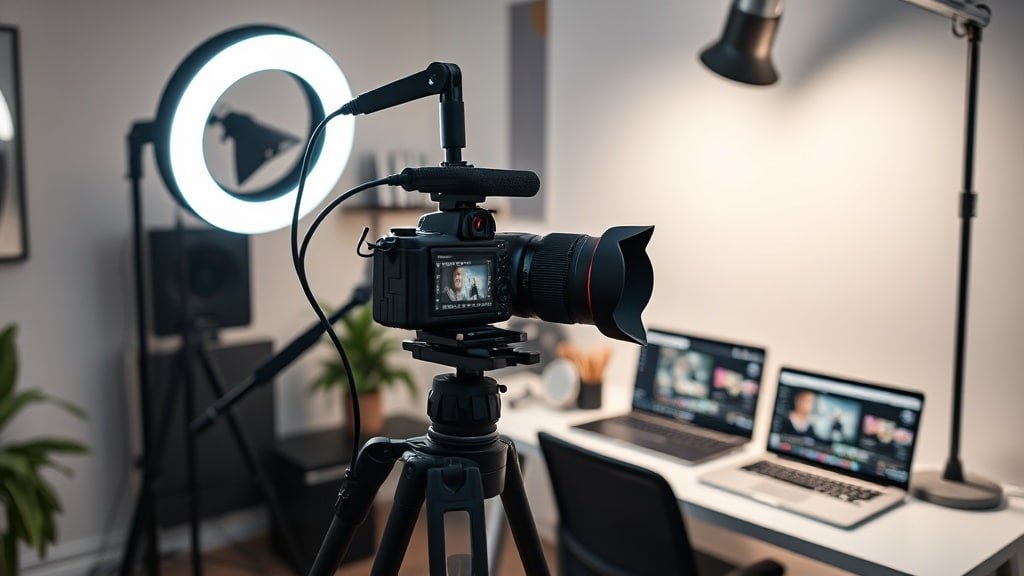
The equipment setup for business YouTube content is simpler than most people expect. Your phone camera shoots in 4K, which is higher resolution than most YouTube content needs. A ring light ($25 to $40 on Amazon) provides even, flattering lighting that eliminates shadows and makes your video look professional. A lavalier microphone ($15 to $30) clips to your shirt and captures clear audio, which is more important to viewer retention than video quality.
Set up your recording space. Choose a location with a clean background. A bookshelf, a plain wall with one piece of art, or your desk setup all work. Avoid busy backgrounds with clutter, movement, or distracting elements. Position the ring light directly in front of your face at eye level. Clip the microphone to your shirt about six inches below your chin. Place your phone on a tripod or prop it against something stable at eye level.
Record a 30-second test clip. Watch it back. Check that the lighting is even, the audio is clear without echo or background noise, and the framing shows you from the chest up with some headroom. This test takes five minutes and prevents you from recording three full videos before discovering a lighting or audio issue.
Now write scripts for your first three videos. These three videos should answer your three most frequently asked customer questions. The questions your customers ask you repeatedly are guaranteed to be questions other potential customers are searching for on YouTube. If you are a web designer, your three videos might be “How Much Does a Website Cost in 2026,” “Should You Build Your Own Website or Hire Someone,” and “The 5 Biggest Website Mistakes Small Businesses Make.”
Scripts do not need to be word-for-word. Bullet points work better for most people because they sound more natural on camera. Write the opening hook (the first 10 seconds that tells the viewer why they should keep watching), the main points in order, and the closing call to action.
Recording all three videos in a single session is the key to making YouTube sustainable. Setting up equipment, getting into the right headspace, and getting comfortable on camera takes time. Doing that once and recording three videos is dramatically more efficient than doing it three separate times for one video each.
Before you start recording, do a two-minute warm-up. Talk to the camera about anything, just to get comfortable hearing your own voice and looking at the lens. Most on-camera awkwardness disappears within the first 60 seconds of talking.
For each video, follow this pattern. State the hook clearly in the first 10 seconds: “If you are thinking about building a website for your business, here is exactly what it will cost you in 2026.” Then deliver your main points, spending one to three minutes on each. Close with a specific call to action: “If you found this helpful, subscribe for more business tips every week, and check the description for my free [resource].”
Do not worry about mistakes. You will edit them out. If you stumble on a sentence, pause for two seconds and say it again. The pause makes the edit point easy to find and the final video will be seamless. Most YouTube viewers cannot tell the difference between a single-take video and an edited one as long as the cuts are clean.
Three videos at five to ten minutes each should take about 90 minutes to record, including breaks and re-takes. By Sunday noon, you have all your raw footage.
Open CapCut and import your first video. Cut the dead air at the beginning and end. Remove any major stumbles or long pauses. Add captions using CapCut’s auto-caption feature, which generates accurate subtitles in minutes. If you have B-roll footage or want to add text overlays for key points, add them now. Export in 1080p, which is the standard quality for YouTube.
Edit all three videos in sequence. The editing workflow becomes faster with each video as you establish your pattern of cuts, caption style, and export settings. Budget 30 to 45 minutes per video for basic editing. You are not producing a documentary. You are creating clear, helpful content that values the viewer’s time.
Before uploading, do keyword research for each video title. VidIQ shows you what people are actually searching for on YouTube, which means your video titles can match real search queries instead of guesses. Install the VidIQ browser extension, search for your topic, and see the exact phrases people type. Use those phrases in your video title, description, and tags.
Upload each video with an optimized title that includes the search term the video answers. Write a description that starts with the primary keyword in the first sentence, includes a brief summary of what the video covers, and adds links to your website, lead magnet, and social profiles. Add five to ten relevant tags. Create a custom thumbnail using Canva’s YouTube thumbnail template: three or fewer words of large text, your face showing an expression, and a high-contrast background.
For a deeper look at starting a business YouTube channel, the guide on starting a YouTube channel for your small business covers the strategic decisions, and the guide on creating business video content covers the production workflow in detail.
Publish one video per week at the same time on the same day. Consistency matters more than frequency on YouTube because the algorithm rewards channels that upload on a predictable schedule. One video per week is sustainable for most solo business owners and provides enough content for the algorithm to learn what your channel is about and who to show it to.
Your three videos from this weekend give you three weeks of content already scheduled. Use that runway to record the next batch. Block two hours every other weekend for recording and editing, which produces two videos per session and keeps you one to two weeks ahead of your publishing schedule.
The compounding effect of YouTube is real but slow. Most channels see meaningful traffic growth after 20 to 30 videos, which at one per week is five to seven months. During that time, each video is a permanent asset that continues to rank in search and attract viewers indefinitely. The patience required is significant, but the payoff is a content library that generates leads without ongoing effort.
Every YouTube video produces three to five pieces of additional content without additional creation effort. Download the video and upload it natively to LinkedIn, Instagram Reels, and TikTok as short clips. Extract the audio and publish it as a podcast episode. Transcribe the video and turn it into a blog post. One production session creates a week of multi-platform content.
This repurposing strategy means YouTube is not an additional content channel competing for your time. It is the source channel that feeds all your other channels. Record once for YouTube, repurpose for everything else. The production effort stays constant while the distribution multiplies.
The connection between YouTube content and your broader video strategy is covered in the guide on using AI video tools for business, which shows how AI generation tools can supplement your filmed content with B-roll and visual elements.
Your phone is good enough. Your ring light costs $30. Your first video does not need to be perfect. It needs to exist. The business owners who build successful YouTube channels are not the ones with the best equipment or the most charisma. They are the ones who published their first imperfect video and kept going. Start this Saturday. Record three videos. Edit them Sunday. Upload by Sunday evening. You will have a professional YouTube channel with real content before most of your competitors have finished debating whether YouTube is worth their time.
If you found this helpful, you might also want to read our guide on business social media video strategy.
If you found this helpful, you might also want to read our guide on complete content creation stack.
Two fixed-scope builds that fix both problems. No retainer to start. Live in under two weeks.







[…] decide who your channel is for and what outcome each video should create. If you are not sure, read how to create a professional YouTube channel for your business and this guide to growing a YouTube channel as a small business. Those articles walk you through […]
[…] so you can say, “This video idea leads to this opt in, which leads to this offer.” It builds on your professional channel strategy and your sales funnel […]
[…] If you found this helpful, you might also want to read our guide on professional youtube channel business. […]