Start here
Not sure what to fix? Start with the $97 checkup.
Written review. Prioritized fix list. 3 to 5 business days. No call needed.
Get the Checkup → Book a free 15-min call

Written review. Prioritized fix list. 3 to 5 business days. No call needed.
Get the Checkup → Book a free 15-min call
A written audit of your site, lead path, ad tracking, and follow-up gaps. Delivered in 3 to 5 business days. No call required.
Have questions first? Book a free 15-min call
Stop losing leads to slow websites and manual tasks. Start with the $97 Website and Workflow Checkup. Get $97 Checkup
This post contains affiliate links. If you purchase through a link on this page, I may earn a commission at no extra cost to you. I only recommend tools I’ve evaluated or used.
Most businesses think about YouTube wrong. They want views and subscribers when what they actually need is search traffic. A 400-view video that ranks on the first page of YouTube for “how to choose a bookkeeper for my small business” is worth more to a bookkeeping firm than a 40,000-view video about general business tips that attracts an audience with no intention of hiring anyone. Starting a YouTube channel for your small business is not about becoming a content creator. It is about building a library of searchable content that answers the questions your potential customers are already typing into Google and YouTube, and that library compounds in value every month it exists.
Create a Google account dedicated to your business if you do not already have one. Go to YouTube and create a channel. Choose your business name as the channel name. Upload a profile photo at 800 by 800 pixels, which should be your logo or a professional headshot. Create channel banner art at 2560 by 1440 pixels using Canva, which takes about ten minutes with a free template.
Write your channel description for search, not for readers. Include your focus keywords and a clear statement of what the channel covers. “Practical bookkeeping tutorials for small business owners” is better than “Welcome to our channel where we share our passion for helping businesses grow.” The first version tells YouTube what your content is about. The second tells YouTube nothing useful.
Add links to your website, your social profiles, and any relevant tools in the About section. This is completed in under 30 minutes. Do not spend longer on channel setup. The channel design will improve over time as you understand what your audience responds to. Moving on to content creation matters more than perfecting the banner art.
Think about the last ten questions a potential customer asked you before deciding to buy. Those questions are your first ten videos. If you are a web designer, the questions might be: how much does a website cost, what platform should I build my website on, how long does it take to build a website, do I need a professional or can I do it myself, what makes a website convert visitors into customers.
Each question becomes a 5 to 10 minute video where you answer it directly, thoroughly, and honestly. These videos rank in YouTube search and Google search simultaneously because Google embeds YouTube results for how-to and question-based queries. One piece of content, two search engines, compounding traffic for years.
The content strategy beyond the first ten videos follows the same principle: answer the questions your audience is searching for. Use VidIQ to verify which questions have search volume and which have low competition. The Chrome extension overlays data directly on YouTube showing you how many people search for any phrase each month and how many videos are competing for that phrase. A video targeting a phrase with 500 monthly searches and 10 competing videos will rank far faster than one targeting a phrase with 10,000 searches and 500 competing videos.
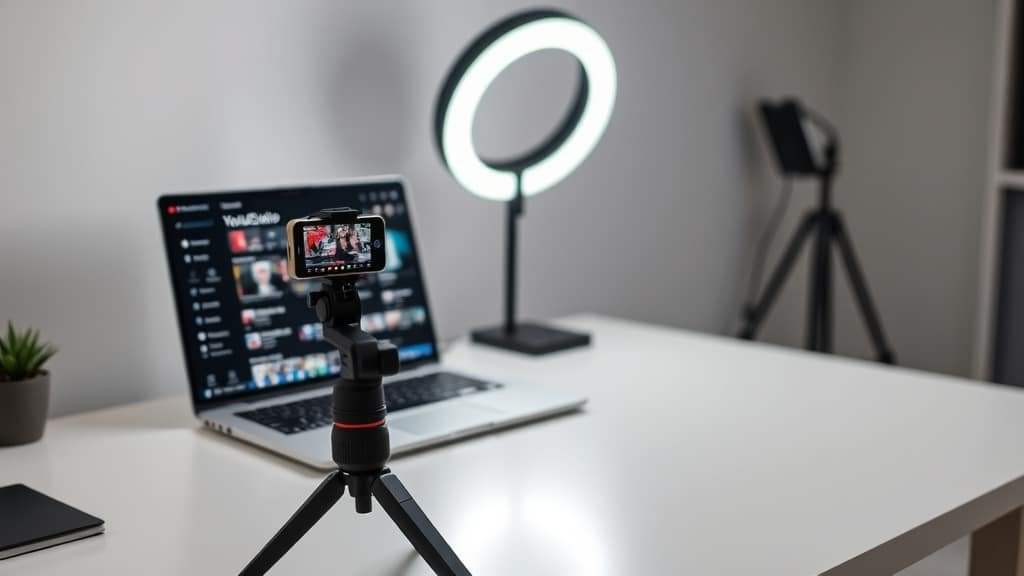
Equipment requirements for a business YouTube channel in 2026 are lower than most people believe. An iPhone or modern Android phone shoots 4K video that is more than sufficient for YouTube. A $30 tripod or phone stand keeps the camera stable. A window provides free lighting that looks better than most artificial setups. Any lapel microphone under $50 delivers clear audio that sounds professional.
That is the complete equipment list. Everything beyond this is optimization. A ring light improves consistency when filming in the evening. An external microphone improves audio quality in noisy environments. A backdrop or clean wall behind you improves the visual presentation. All of these are improvements to make after you have published your first ten videos, not before.
The reason to start with minimal equipment is psychological, not financial. Buying equipment before recording anything creates the illusion of progress without the reality of content. The equipment becomes a procrastination tool. Start with what you have, prove that the content resonates, then upgrade the production quality.
YouTube is a search engine, and search engines match queries to content through text. Your video title needs to include the exact phrase your target viewer is typing into YouTube. “How to Choose a Bookkeeper for Your Small Business” matches the search query directly. “Episode 7: Bookkeeping Tips” matches nothing anyone is searching for.
VidIQ shows you the search volume and competition for any title phrase before you publish. Install the free Chrome extension, type your proposed title into YouTube search, and VidIQ displays the monthly search volume, competition score, and related keywords in an overlay beside the search results. This takes 30 seconds per video and eliminates the guesswork from title selection.
Your video description should repeat the primary keyword in the first paragraph, provide a summary of what the video covers, include timestamps for key sections (YouTube uses these for search indexing and for the progress bar chapters feature), and link to your website and any tools mentioned in the video. Tags should include your primary keyword and three to five variations.
A video that ranks on the first page of search results but has a generic thumbnail gets scrolled past. The thumbnail is the deciding factor between a search impression and an actual view. Effective business YouTube thumbnails follow three rules: high contrast so they are visible at small sizes, three words or fewer of text that communicate the core value, and a face showing a clear expression if you appear on camera.
Create thumbnails in Canva using a consistent template so your channel has a recognizable visual style. A bright background with dark text, or a dark background with bright text, creates the contrast needed for visibility. Keep the text large enough to read on a mobile device, which is where most YouTube browsing happens.
CapCut handles everything a small business YouTube channel needs for editing. Import your raw footage, trim the dead space at the beginning and end, cut any sections where you stumbled or went off topic, add auto-generated captions for accessibility, and export. For a 5 to 10 minute video, editing takes 20 to 40 minutes once you are familiar with the tool.
Batch recording dramatically reduces production time. Instead of setting up equipment for one video, set up once and record three to five videos in a single session. Change your shirt between recordings if you want the videos to look like different days. This batching approach means you record once per month and have content for the entire month.
The broader video production workflow, including how YouTube content connects to your social media strategy and how to repurpose long-form YouTube videos into short-form social content, is covered in our guide to creating business video content. And the weekend project of building a complete professional YouTube channel from scratch is covered in our professional YouTube channel build guide.
For the complete social media video picture, including how YouTube fits alongside Instagram, TikTok, and LinkedIn, our business social media video strategy guide covers the multi-platform approach.
Identify your five most commonly asked customer questions. Write them down as video titles. Check the search volume with VidIQ. Record the first one this week. It does not need to be perfect. It needs to exist. And once it exists, it starts working for your business in search results permanently.
If you found this helpful, you might also want to read our guide on how to build personal brand business.
If you found this helpful, you might also want to read our guide on complete content creation stack.
Two fixed-scope builds that fix both problems. No retainer to start. Live in under two weeks.







[…] If you found this helpful, you might also want to read our guide on how to create youtube channel small business. […]
[…] If you found this helpful, you might also want to read our guide on how to create youtube channel small business. […]