Start here
Not sure what to fix? Start with the $97 checkup.
Written review. Prioritized fix list. 3 to 5 business days. No call needed.
Get the Checkup → Book a free 15-min call

Written review. Prioritized fix list. 3 to 5 business days. No call needed.
Get the Checkup → Book a free 15-min call
A written audit of your site, lead path, ad tracking, and follow-up gaps. Delivered in 3 to 5 business days. No call required.
Have questions first? Book a free 15-min call
Stop losing leads to slow websites and manual tasks. Start with the $97 Website and Workflow Checkup. Get $97 Checkup
This post contains affiliate links. If you purchase through a link on this page I may earn a commission at no extra cost to you. I only recommend tools I have evaluated or used.
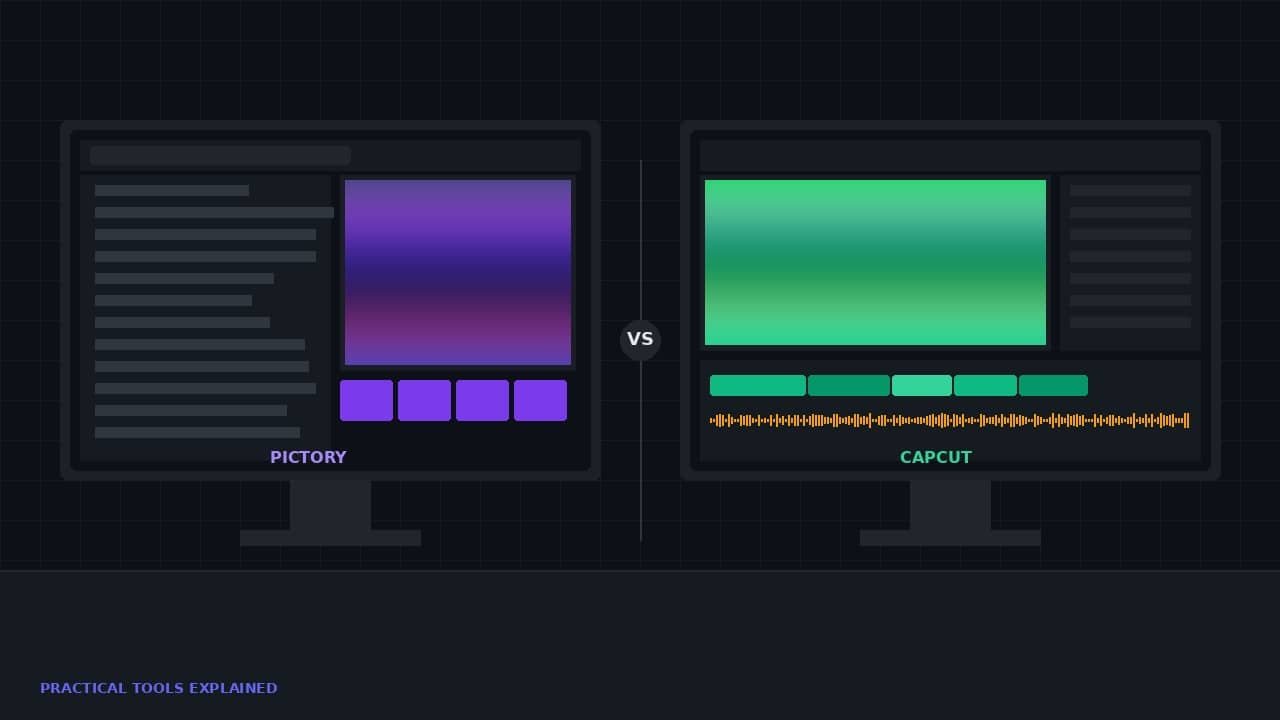
Every comparison article between Pictory and CapCut gets the framing wrong. They line up features side by side, declare a winner, and move on. The problem is that Pictory vs CapCut is not a competition. These two tools solve fundamentally different problems, and treating them as alternatives leads to businesses choosing the wrong tool for the wrong job. The real question is not which one is better. It is which problem you are trying to solve right now.
CapCut is an editing tool for people who already have footage. Pictory is a generation tool for people who have written content and want video without filming anything. If you have footage, CapCut. If you have blog posts and no footage, Pictory. If you have both, you probably need both. This article walks through each scenario so you stop guessing.
CapCut started as a mobile video editor and evolved into a full production tool that works on desktop and web. Its core strength is taking footage you already have and making it look professional without requiring professional editing skills.
The auto-caption feature is the standout. Drop a video in, click one button, and captions appear in under 60 seconds. Research consistently shows that captions increase watch time by 30 to 40 percent on social platforms. Most businesses know this and still publish uncaptioned video because adding captions manually takes 20 minutes per video. CapCut turns it into a 60-second task.
The color grading presets make phone footage look like it was shot on professional equipment. One click changes the entire look of a video. For a business owner filming on an iPhone in their office, this is the difference between content that looks amateur and content that looks intentional. The effect on audience trust is measurable even if the viewer cannot articulate why one video looks more credible than another.
Platform-specific export is the feature that saves the most time in practice. Record one video. Export it cropped and formatted for YouTube, Instagram Reels, TikTok, and LinkedIn simultaneously. No manual resizing. No re-editing for each platform. One recording becomes four or five deliverables with no additional effort.
The limitation is straightforward: CapCut produces nothing from scratch. You must bring footage to it. If you do not have footage, CapCut cannot help you. This is not a flaw. It is a design choice. CapCut is a post-production tool, not a content generation tool.
Pictory starts where CapCut cannot. You have a blog post, a script, or a document. You have no footage, no camera setup, and no interest in filming. Pictory takes your written content and generates a complete video with stock footage, captions, and voiceover.
The URL-to-video workflow is the headline feature. Paste a blog post URL into Pictory, and it reads the content, breaks it into scenes, selects matching stock footage, and assembles a video with generated narration. The output is a finished MP4 ready for YouTube. I covered this in depth in my full Pictory review if you want the detailed breakdown.
The AI avatar feature adds an on-screen presenter without requiring you to appear on camera. This works well for educational content, tutorials, and industry updates. It does not work well for personal brands that depend on authentic face-to-camera presence. The avatar is good enough to be useful and obviously artificial enough that your audience will notice.
The text-based editing feature lets you edit video by editing a transcript. Delete a sentence and the corresponding footage disappears. This makes trimming and restructuring a video as fast as editing a document. For businesses producing informational content, this cuts editing time by 60 to 70 percent compared to a traditional timeline editor.
The limitation mirrors CapCut’s in reverse: Pictory’s stock footage is generic by nature. A video produced by Pictory looks professional but not personal. It will never have the visual distinctiveness of original footage. For content where information matters more than personality, that trade-off is acceptable. For content where the creator’s presence is the value proposition, it is not.
Scenario one: you are a business owner with 20 published blog posts and zero video content. You want to start a YouTube channel without learning to film or edit. The answer is Pictory. No question. You can convert those 20 articles into 20 YouTube videos in a single week without touching a camera. The AI video toolkit approach works precisely for this situation.
Scenario two: you are a content creator who films talking-head videos for Instagram and TikTok. You need captions, color correction, and multi-platform export. The answer is CapCut. It handles everything you need for post-production and costs less than $8 per month on the Pro plan. Pictory would add nothing to your workflow because you already have original footage.
Scenario three: you run a marketing agency or a business that needs both repurposed content and edited original footage. You write articles that need to become YouTube videos. You also film interviews, testimonials, and demos that need professional editing. The answer is both tools. Pictory handles the text-to-video conversion. CapCut handles the post-production on filmed content. The two tools operate at different stages of the same video content workflow.
Pictory’s Starter plan is $19 per month. CapCut Pro is $7.99 per month. Together, the entry-level plans total less than $27 per month. Annual billing drops the combined cost to around $15 per month.
A single freelance video edit costs $50 to $150. A month of both tools costs less than one freelance edit. For a business producing 4 to 8 videos per month, the annual savings compared to outsourcing reach into the thousands. The tools do not just save money. They remove the scheduling dependency on a freelancer and give you same-day turnaround on every video.
That is the calculation most businesses miss. They look at each tool’s monthly cost in isolation instead of comparing it to the cost of not having the tool. A business that publishes no video because editing is too expensive or too slow is leaving the entire YouTube and short-form video audience on the table. Under $30 per month eliminates that gap entirely.
The most effective workflow uses both tools in sequence. Start with a blog post. Run it through Pictory to generate a long-form YouTube video. Export the video. Bring it into CapCut. Add polished captions, apply a color grade, and export platform-specific versions for Instagram, TikTok, and LinkedIn.
You now have a YouTube video, an Instagram Reel, a TikTok post, and a LinkedIn video from a single blog article. The total time investment is under 30 minutes. The total tool cost is under $30 per month. That is the complete content creation stack at work.
For businesses building a social media video strategy, this workflow eliminates the two biggest bottlenecks: creating the initial video and formatting it for every platform. Pictory handles step one. CapCut handles step two. Neither tool alone covers both steps. Together they cover everything.
Pictory and CapCut do not compete. They complement each other. Using only Pictory means your repurposed content never gets the polish that CapCut adds. Using only CapCut means you never generate video from your existing written content. Using neither means you are leaving the fastest-growing content format on the internet to your competitors.
If you are starting from written content and want video without filming, start with Pictory. If you are starting from filmed footage and want professional editing, start with CapCut. If you are serious about video as a business channel, get both. The combined cost is less than a single hour of freelance editing per month.
Next up: I break down the Pictory affiliate program, including the sub-affiliate tier that most people miss entirely. If you are already recommending Pictory to clients or your audience, you should be earning recurring commissions while doing it. That breakdown is coming next.
Two fixed-scope builds that fix both problems. No retainer to start. Live in under two weeks.






